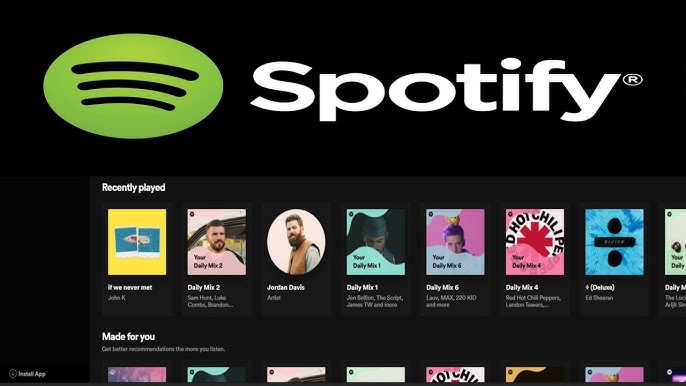
Spotify has transformed the way we consume music, and one of its most convenient offerings is the Spotify Web Player. Available at open.spotify.com, the web player provides a browser-based solution for enjoying playlists, albums, podcasts, and audiobooks without the need to download an app. For millions of listeners around the world, this lightweight yet powerful tool has become a go-to choice for streaming on desktops, laptops, and shared computers.
Why the Spotify Web Player Matters
The web player embodies Spotify’s philosophy of making music available everywhere. With just a login, users can start listening instantly without installation or storage requirements. It’s particularly useful for students, professionals, and casual listeners who need fast, reliable access to music on computers where downloads are restricted.
Supported Browsers and System Requirements
Spotify Web Player works best on Google Chrome, Mozilla Firefox, Microsoft Edge, Opera, and Safari. To ensure smooth playback, users should:
- Keep their browser updated to the latest version.
- Enable playback of protected content (DRM/Widevine) in settings.
- Have a stable internet connection for uninterrupted streaming.
Some corporate or educational networks may restrict access, so users in these environments may need to switch to a personal device or ask their IT department for access.
Audio Quality on the Web Player
Spotify adjusts audio quality depending on the user’s subscription:
- Free Tier: Streams at AAC 128 kbps.
- Premium Tier: Streams at AAC 256 kbps.
While this doesn’t reach the highest bitrates of the desktop app, it’s still excellent for general listening, casual speakers, and everyday headphones. For true audiophiles, the desktop or mobile apps remain the better option, but for most users the web player delivers crisp, balanced sound.
Key Features of Spotify Web Player
Music Discovery and Search
The web player includes full access to Spotify’s catalog. Users can search songs, albums, artists, or genres, making it easy to explore trending playlists and global charts directly in the browser.
Playlists and Library
Listeners can build playlists, follow artists, and save albums. Your library stays synced across devices, so a playlist created on the web instantly appears on your phone.
Play Queue
The play queue lets you line up songs, move tracks up or down, and clear upcoming music. This helps customize listening without constantly switching playlists.
Lyrics and Song Credits
Spotify has expanded lyrics support to the web player. Many songs now feature real-time synced lyrics, along with detailed credits showing songwriters, producers, and performers.
Podcasts and Audiobooks
Beyond music, the web player also includes podcasts and audiobooks. This all-in-one approach means users can enjoy diverse content in a single browser tab.
Spotify Connect
One standout feature is Spotify Connect, allowing the web player to control playback on other devices. For example, you can open Spotify in Chrome at work and cast your playlist to a smart speaker at home.
Advantages of the Web Player
- No installation required – Perfect for shared or locked computers.
- Cross-platform access – Works on Windows, macOS, Linux, and Chromebooks.
- Lightweight – Doesn’t consume device storage.
- Always synced – Your library updates across all devices instantly.
Limitations Compared to the Desktop App
While powerful, the web player has a few drawbacks:
- No offline downloads.
- Limited audio quality options compared to the app.
- Fewer advanced settings for equalizer or crossfade.
- Occasional browser restrictions due to DRM requirements.
Troubleshooting Common Issues
- Playback blocked: Enable DRM/protected content in browser settings.
- Songs won’t load: Clear cache, restart browser, or try incognito mode.
- Low volume: Check browser volume settings and Spotify’s in-app slider.
- Device not found for Connect: Ensure both devices are on the same Wi-Fi network.
Spotify Web Player in Everyday Life
The web player is ideal for quick music access during study sessions, office work, or while traveling without your main device. Its versatility makes it a convenient option for those who prefer not to download additional software, while still staying connected to the entire Spotify ecosystem.
FAQs on Spotify – Web Player: Music for Everyone
1. Does the Spotify Web Player support offline mode?
No, offline downloads are only available on the desktop and mobile apps for Premium users.
2. Can I use Spotify Web Player on a Chromebook?
Yes, it works smoothly on Chromebooks through Chrome, making it a popular choice for students.
3. Why does my Spotify Web Player show “Enable protected content”?
This happens because Spotify requires DRM permissions. You’ll need to enable it in browser settings for playback.
4. Is the audio quality lower on the web player than the desktop app?
Yes, the web player maxes at AAC 256 kbps for Premium, while the app can offer higher bitrates.
5. Can I control my smart speaker from the Spotify Web Player?
Yes, with Spotify Connect you can cast music to speakers, consoles, and other connected devices.
6. Does the web player include lyrics?
Yes, many songs now support synced lyrics directly in the browser.
7. Can I manage my playlists in the web player?
Absolutely—you can create, edit, and share playlists, and all changes sync across devices instantly.
